 ديوان الدار
Features
What changes in your school with Diwan Aldar?
Less time on notebooks and phone calls, fees collected on time, and every student's progress kept in your school.
Free for up to 9 students. We handle setup and moving your data.
Know who came without going through sheets
The teacher takes attendance on their phone at the start of the session, so it is ready for you without paper sheets.
-
An attendance record that is never lost
Every session is saved the moment it is recorded, with its Gregorian and Hijri dates. Nothing gets lost in a drawer.
-
The count in front of you for every class
Open a class and see how many students are present, without calling the teacher.
-
See which classes have not started today
Open the system and today's classes come first, with their teachers and last sessions.
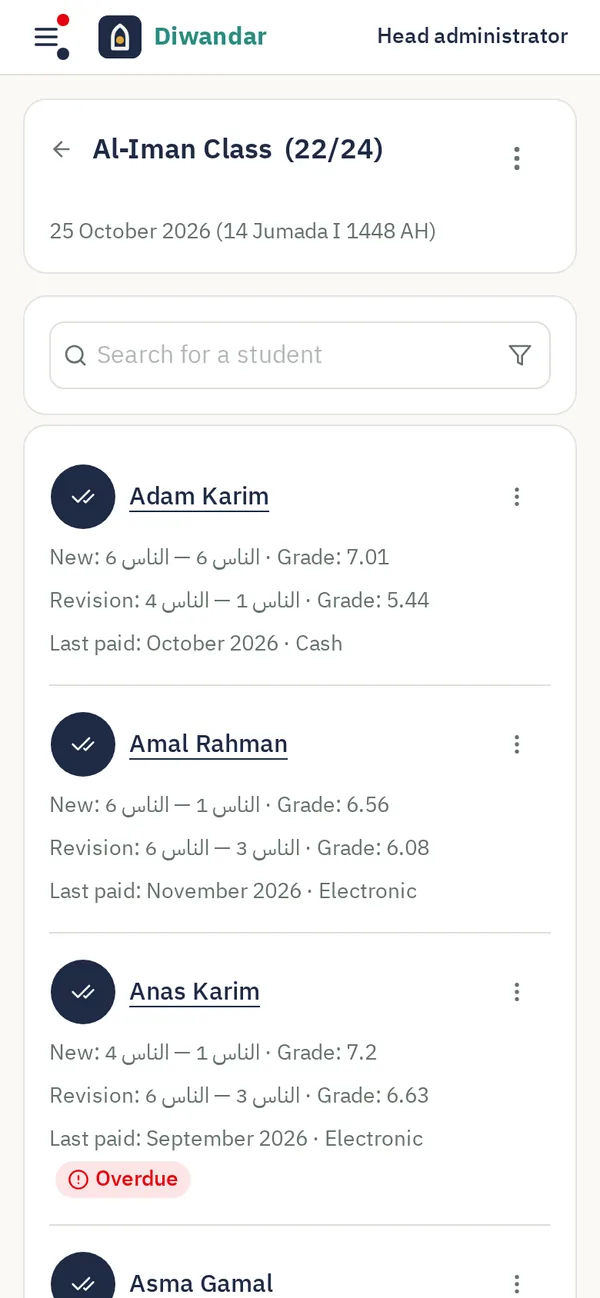
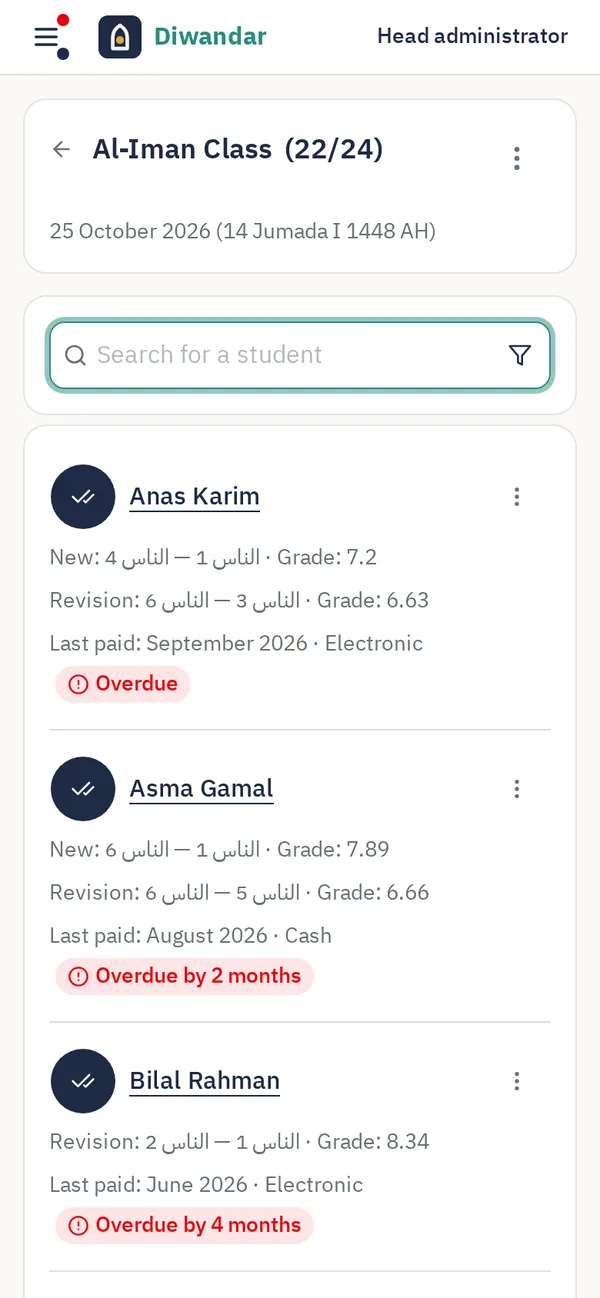
Collect your fees on time
No separate sheet and no relying on memory. You see who is late before the months pile up.
-
Who is late? Know without going through papers
A student whose paid month has run out is marked “overdue”, with the number of months. Show only the late students in one tap.
-
Today's cash box on one screen
See how much came in today and how many payments, in cash and electronic, and match the cash box in a minute.
-
No arguments about what was paid
After each payment you record, the parent gets a WhatsApp confirmation with the amount and date (for parents your school's messages reach). Every payment stays saved on the student's page.
-
Teachers are free to teach
They do not see fees and cannot record them. Payments stay with you and the admins you choose.
WhatsApp messages to parents from your school's number
Absences and the session summary reach parents without you calling them one by one.
-
The absence message in one tap
After the session you choose the absent students, and each parent gets a WhatsApp message the same day (for parents your school's messages reach). No calling them one by one.
-
The session summary, ready for the class's parents
In one tap you copy the session summary: what each student recited, their grade and what comes next. Put it in the class group, and parents revise with their children at home.
-
A WhatsApp group for each class
Each class gets a WhatsApp group named after it, created from your school's number, with an invite link for parents.
Note: messages reach parents who have messaged the school's number before, or for whom you switched messages on. You link the school's WhatsApp number only once.
Your parents in your phone, with clear names
We prepare your contacts, so you do not hunt for a number or mix up similar names.
-
Each parent under their children's names
A parent is saved under their children's names, so you know who is calling. Names start with the Arabic letter أ to stay apart from your other contacts, and they update when a student's name changes.
-
Siblings in one contact
Siblings share one contact, with the father's and mother's numbers, each labeled. No repeated names, no lost numbers.
-
All your school's numbers in one file
Download the numbers of one class or the whole school in one file. Open it on your phone and every parent is added at once, with names in your calls and in WhatsApp.
Each student's progress in one place: your school
What your teachers record stays in your school, not in each teacher's notebook.
-
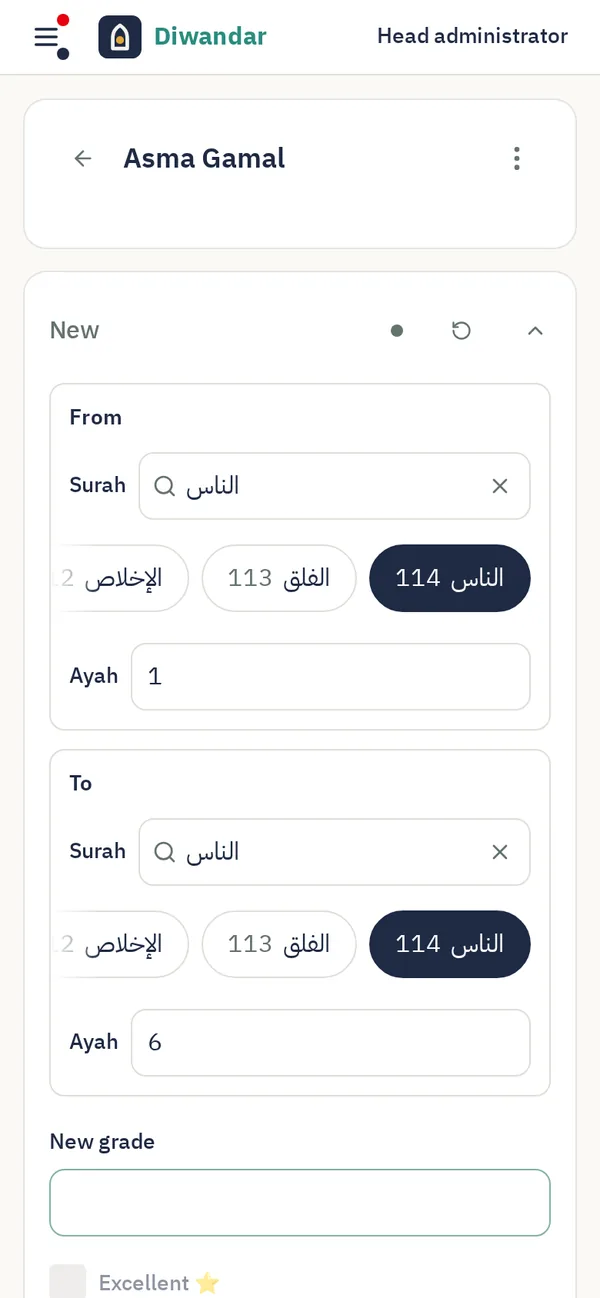
The student continues from where they got to, with any teacher
When a teacher opens a student's page, they see what was asked last session, so nobody wastes time asking “where were we?”.
-
A ready answer for the parent
Every session shows where the student recited and revised, their grade and their attendance rate. When a parent asks how their child is doing, the answer is in front of you.
-
The excellent student is known to their family and to you
The teacher gives an excellent student a star, and it shows in their record.
-
Fits the way your classes work
Each student can memorize their own portion, or the whole class can share one lesson with a grade for each student.
Your reports, ready when you need them
Print what you need for a teachers' meeting, for the school's supporters, or for a parent who wants a paper.
-
A report for any period you choose
See the class's attendance rate, average grade and number of excellent grades, with the detail of every session and student, as a printable PDF.
-
A report for each session
Who came, what each student recited and revised, and their grade, with Gregorian and Hijri dates.
We set up your school, so you start with no effort
We do the setup and move your data, free of charge.
-
We move your existing data
From your classes' WhatsApp groups or an Excel file, we move in your students, parents, teachers and classes.
-
Your teachers sign in with a link
No forgotten passwords and no long explanation. The teacher gets a link on WhatsApp and records their first session.
-
Everyone sees what concerns them
A teacher sees only their classes, the admins manage classes, students and payments, and you see everything.
Know what is going on in your school
And know who did it and when.
-
Who changed what, and when
For every change to attendance, payments and records, you see who made it, when, and what it was before and after.
-
A teacher left the school?
You deactivate their account and they are signed out on all their devices at once. Their students' records stay in your school.
-
Your school's data stays your school's
No other school can see your school's data. If the support team signs in to help you, you see everything they did.
More details
-
Attendance at the door
A person you choose from your admins records students' attendance as they walk in, with an account of their own.
-
Finished classes
They move to the archive and stay there for you to go back to.
-
Message didn't go through?
You see why, and send it again.
-
Like an app on your phone
Put it on your home screen like any app, with nothing to download from an app store.
-
Dark mode
Easier on the eyes when you work at night.
-
In English and Arabic
Every screen works in English and in Arabic, and each person picks their own language.
Explore the demo yourself
A demo with classes, students and payments. Go in and try everything. Changes are wiped every day.
Classes, students, payments and settings
Take your class's attendance and record your students' memorization
Try Diwan Aldar in your school
Free for up to 9 students. Start with one class, and we set up your school and move your data.